
Automatic Login [SASL]
SASL is a form of automatically logging in to your account during the connection process. It will take your account name and either your account password or certificate fingerprint which will log you in by the point where you're fully connected. Using the i have a password option in the web interface is one way to log in via SASL. Using other applications, there are settings that give you the ability to login during connection too
Password Format [using your IRC app]
In your IRC client's SASL/connect settings, your connection password should be in this format:
AccountNickname:YourPassword
For example, if your account nickname was Shipman and your account password [the one that you give to nickserv] is HaroldFrederick123, your connection password would be: Shipman:HaroldFrederick123 ... Remember, use your account nickname no matter what your nickname is set to be. You can be online using any nickname, and still be logged into your account. The only limitation is that you can only be logged into one account at a time
When you have your login password set, make sure to choose the "SASL Plain" login method. This tells your client app to use the password which will be delivered to nickserv in this way
Connect Using a Certificate
Your security is at an absolute maximum if you connect to Incorrigo Syx using a TLS certificate. It is highly recommended that you use this method to connect and log into your user account
To set this up, you will need to create a TLS certificate and link it to your account. Some client apps will create a certificate for you. We have our own certificate creator which is available on Windows, Mac, and Linux from this page
Step 1: Generate your certificate (instructions are on this page).
Step 2: Load the TLS (sometimes called SSL) settings in your client app
Step 3: Connect using the certificate, log in with your password, then use /nickserv cert add to link your certificate to your account
When your certificate is linked to your account, you will be logged in automatically after you have connected anyway. But in your connection settings, set your login method to SASL EXTERNAL
Logging in with SASL External uses the encryption keys from your certificate to secure all communication between you & Incorrigo Syx. It requires no password, bypasses all the connection screening checks - even in emergency mode - confirms you are a legit user and to let your connection through
Illustration: SASL Authentication Settings
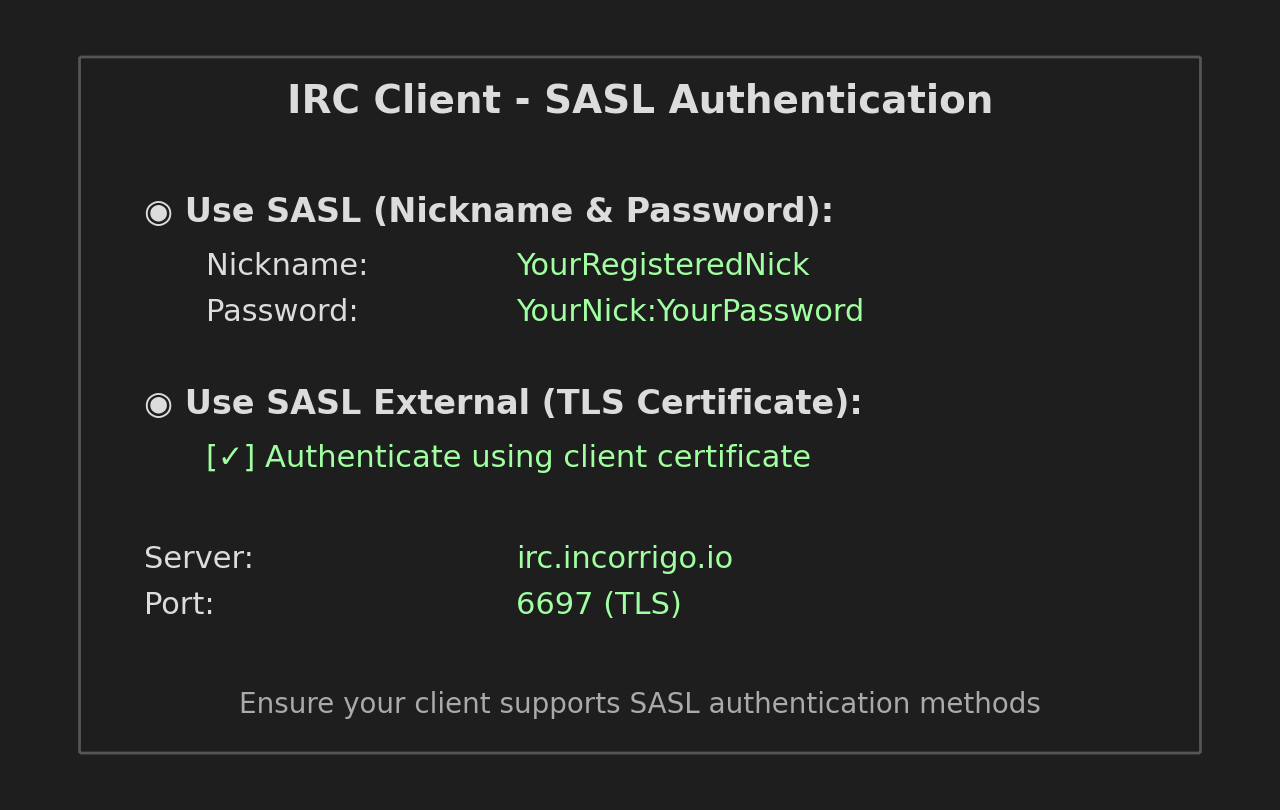
If you use SASL, it's recommended that you use a TLS certificate. This will basically use a file instead of a password, and encrypt the connection. Worth doing